


How to Get Up to $100 Back Per Card With Paze
Switzerland Winter Ski Escape Switzerland Winter Ski Escape Switzerland Winter Ski Escape
What if you could buy $100 worth of things you already need and get the entire $100 back?
Right now, Paze is offering one of the best shopping promotions I have seen this year: spend at least $10 in one qualifying transaction using Paze checkout and receive a $10 statement credit. You can repeat the offer up to 10 times on each eligible card in your Paze wallet. That is up to $100 back per card.
And yes, the limit is per eligible card, not per person or per Paze wallet. If you have two eligible cards, you may be able to earn up to $200 back. Three eligible cards could mean up to $300 back.
The promotion is scheduled to run through September 10, 2026, but I would not wait. Participating merchants and qualifying purchase options have already changed, and some of the easiest ways to use the offer have disappeared or temporarily stopped working.
For more travel insights, points tips, bucket list ideas, and vacation inspiration, don’t forget to hop on the Travel Email list here and Join our Facebook group here…
What is Paze?
Paze is an online checkout wallet offered through participating U.S. banks and credit unions. It comes from Early Warning Services, the company behind Zelle.
Instead of manually entering your card number when shopping online, you select Paze at checkout and choose an eligible card already available in your wallet. Paze says your actual card number is not shared with the merchant, which adds another layer of security to online checkout.
There is no fee to use Paze and no separate enrollment is required for this promotion. You do need to activate your Paze wallet.
How the Paze $10 Back Offer Works
The basic offer is simple:
- Activate your Paze wallet.
- Shop with a participating online merchant.
- Select Paze as your payment method at checkout.
- Choose an eligible credit or debit card from your Paze wallet.
- Confirm that the Paze offer appears beside the card before paying.
- Spend at least $10 in one transaction.
- Receive a $10 statement credit – anytime within a few days to a billing cycle
You can earn up to ten $10 statement credits on each eligible card, for a maximum of $100 back per card during the promotion. I have about 8 eligible cards – that is $800 of FREE items/food!
The $10 minimum is based on the final amount charged to your card. Tax and shipping count if they are included in that charge. For example, an item that costs $9 plus $1.50 in tax should meet the minimum because the final charge is $10.50.
The Most Important Step: Look for the Offer at Checkout
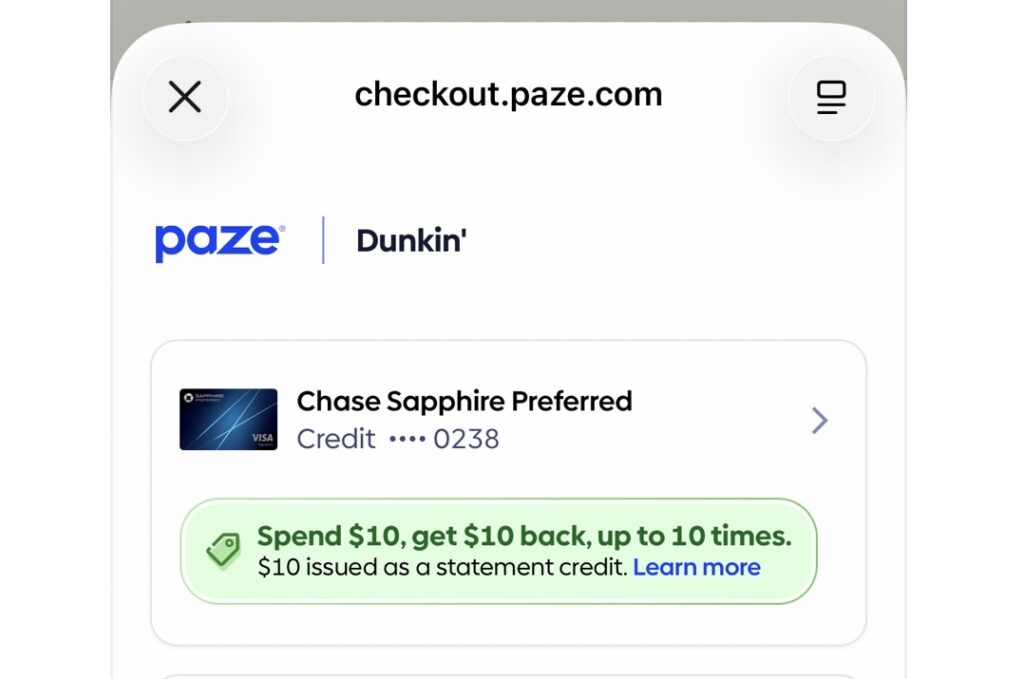
Seeing Paze as a payment option does not automatically mean the transaction qualifies.
Before submitting your order, look for the promotional message in the photo above showing that you will receive $10 back with the selected card. According to the official Paze terms, if the offer details do not appear during Paze checkout, the transaction is not eligible.
Take a screenshot of the offer and your final order total before completing each purchase. I also recommend keeping a simple note showing the card, merchant, date, amount, and which of the ten credits you expect. Especially if you have multiple cards like me and are trying to maximize this promo!
Which Cards Are Eligible?
Eligible U.S. credit and debit cards issued by participating banks and credit unions can qualify when they are available in your Paze wallet. Participating institutions listed by Paze include major issuers such as Bank of America, Capital One, Chase, Citi, PNC, Truist, U.S. Bank, and Wells Fargo, along with other banks and credit unions.
The easiest way to check a particular card is to activate Paze, open your wallet, and see whether the card appears. Then confirm that the $10 offer is displayed beside that card during checkout.
Cards must remain open, active, and in good standing. Some Discover Network transactions may not be supported by certain merchants.
What We Are Buying With the Paze Offer
Dunkin Gift Cards for Dunkin and Baskin Robbins
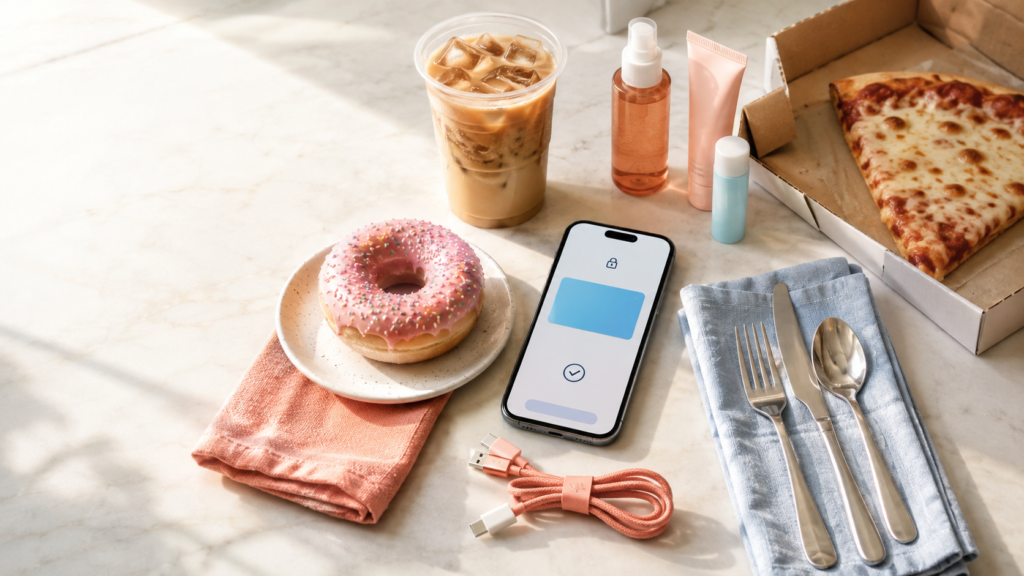
We are purchasing $10 Dunkin gift cards that we can use later for drinks, breakfast, treats, and ice cream. Dunkin and Baskin Robbins gift cards are accepted for products at participating U.S. locations of both brands, so this gives our family more ways to use the balance.
At the time of this update, the reported way to do it is (it has changed a few times during the promo and for the Dunkin app can only do once in 24 hours – so set an alarm to do a few days in a row if this is a promo you want to use).
- Open the Dunkin app.
- Select Scan/Pay.
- Choose Pay Another Way.
- Select Add a Dunkin Card.
- Select No, then Next.
- Choose a $10 card.
- Pay with Paze and confirm the offer appears before submitting.
Regular Dunkin purchases can also qualify when the offer is displayed. App limits and checkout behavior can change quickly, so I would test one transaction before attempting several.
College or Household Essentials From Newegg
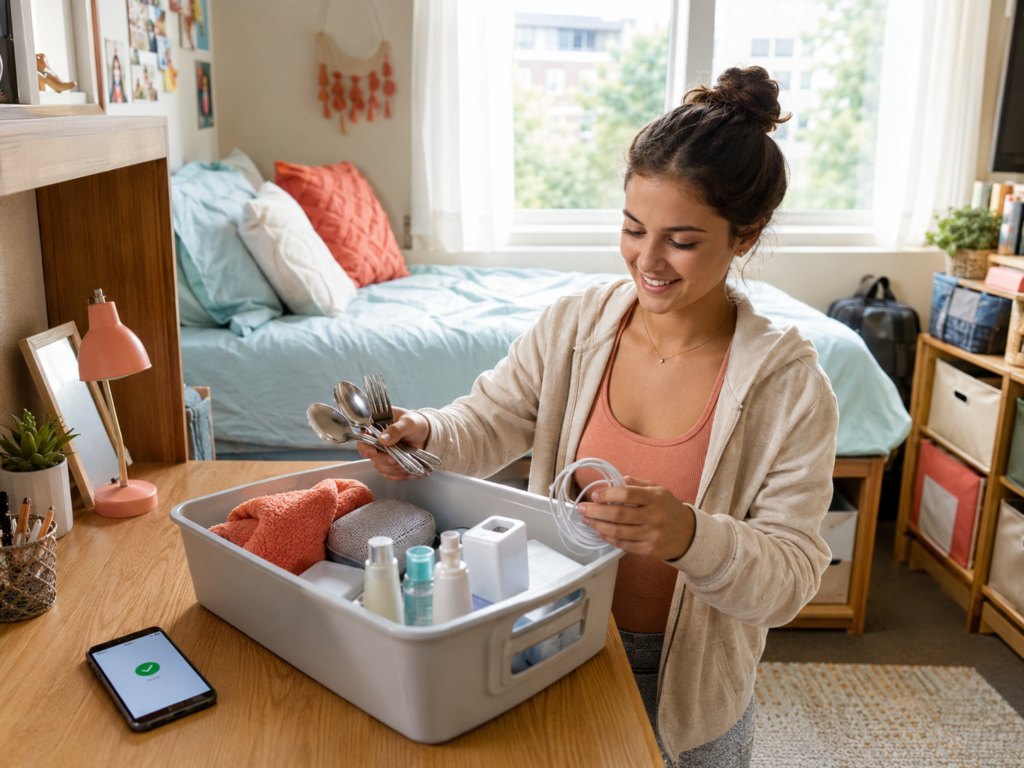
Newegg carries much more than computers. We are using the promotion for practical household and dorm items for my college student, including silverware, charging cords, computer cables, and other small essentials.
Search by price and combine useful items until the final charge is at least $10. Watch shipping costs, compare the total with other retailers, and do not buy something simply because it is part of the promotion.
Gift card rules at Newegg have changed during the promotion. Regular merchandise is the more dependable option, but only proceed if the Paze offer is visible during checkout.
Domino’s Meals for the Teens
Domino’s is an easy way to turn a $10 credit into an inexpensive meal. Depending on local pricing, one of the carryout specials may land near $10 after tax, or you can add a small item to reach the minimum.
Be sure the final amount charged through Paze is at least $10. A total of $9.99 will not qualify.
Travel Size Products From Sephora
Sephora has plenty of minis and travel friendly products around the $10 price point, including hand sanitizer, skin care, hair products, makeup, and small toiletries. We are using some of our credits to stock our travel bags.
If Paze is not appearing correctly at Sephora, make sure the email address on your Sephora account matches the email connected to Paze. You can also start through a cashback shopping portal when permitted, but confirm that the Paze offer still appears before paying.
Other Ways to Use the Offer
Availability can change, but current or recently reported options include:
- Little Caesars or Whataburger for regular food orders
- Wendy’s when Paze and the offer banner appear
- GNC for eligible products, including some pickup or subscription options
- PayRange for participating laundry machines, vending machines, or arcades
- Regular merchandise from Fanatics or other retailers in the Paze merchant directory
- Online orders from local restaurants using qualifying Clover checkout pages
- A $10 donation to St. Jude Children’s Research Hospital through Domino’s checkout
Merchant participation, gift card eligibility, and checkout methods can change without notice. Treat every transaction as a fresh eligibility check.
Tips to Maximize the Paze Promotion
Use transactions close to $10
You receive a flat $10 statement credit whether the qualifying purchase is $10 or $50. To make the offer as close to free as possible, keep each final charge near $10.
Use every eligible card
Each eligible card can earn up to ten credits. If your Paze wallet contains multiple qualifying cards, track them separately.
Test one purchase first
Complete one transaction, save proof of the offer, and make sure everything processes correctly before placing many similar orders.
Match your email addresses
Using the same email for Paze and the merchant account may prevent checkout errors, especially with merchants such as Sephora and Dunkin.
Track every credit
Create ten checkboxes for each card. Record the merchant, date, and amount beside each one so you know when you have reached the limit.
Expect the credit to take time
Paze says statement credits may take up to two billing cycles to appear. If an eligible credit has not appeared after that, contact the bank or credit union that issued the card and provide your purchase records.
Do not force a bad purchase
Free is only free when you buy something useful. Focus on food your family will eat, supplies you need, gifts you will use, or a charitable donation you already wanted to make.
Important Things to Know
- The offer period is June 15 through September 10, 2026, unless changed, but individual merchant options may disappear earlier.
- The final amount charged through Paze must be at least $10 in one transaction.
- You must pay through Paze checkout. Typing the same card number directly will not qualify.
- The offer message must appear during Paze checkout for that card and transaction.
- Declined, incomplete, canceled, or failed transactions do not qualify.
- Returns, cancellations, and adjustments may affect eligibility.
- Some merchant categories and transaction types are excluded.
- Statement credits typically arrive within two billing cycles.
- Terms, merchant availability, and technical limits can change at any time.
Is the Paze Offer Worth It?
Absolutely, especially if you already have qualifying cards and can use the credits for purchases you would make anyway.
One eligible card can mean up to $100 back. Multiple eligible cards can multiply the value quickly. We are turning ours into Dunkin and Baskin Robbins treats, college essentials, pizza for the teens, and travel products from Sephora.
Just do not wait until the last day. The scheduled end date is September 10, 2026, but merchants have already changed which purchases work. Start with the most useful options now, verify the offer banner every time, and keep screenshots until every credit posts.
Have you found another practical way to use the Paze credits? Share it in the comments so I can add it to the list.
Quick Paze FAQ

Do I need to enroll in the offer?
No separate promotion enrollment is required, but you must activate Paze and use an eligible card through Paze checkout.
Can I earn $100 back on more than one card?
Yes. The limit is up to $100 per eligible card in your Paze wallet.
Does tax count toward the $10 minimum?
Yes. Eligibility is based on the final amount charged to the card, so tax and shipping included in that posted charge count.
When will the credit post?
Paze says the statement credit typically appears within two billing cycles after the qualifying transaction posts.
Are all Paze merchants eligible?
No. Some merchants or transaction types that accept Paze are excluded. Only proceed when the specific $10 back offer appears during checkout.
Can I use a Dunkin gift card at Baskin Robbins?
The brands state that their gift cards can be used for Dunkin or Baskin Robbins products at participating U.S. locations. Participation can vary by location.
Disclosure: Offers and merchant availability can change at any time. Always review the offer shown in your Paze wallet and the official terms before purchasing. This post is for informational purposes and is not financial advice.
Leave a Reply